ADDING A COURSE USING A PERMISSION NUMBER
On MyFresnoState, go to your Student Center (Student Self Service → Student Center) and select “Class Wish List” under My Academic Records and Registration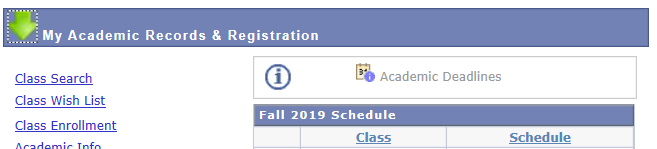
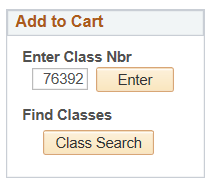
After selecting “Class Wish List,” find the “Add to Cart” box on the left side of the screen, and enter the course number into the “Enter Class Nbr” box. Select “Enter.”
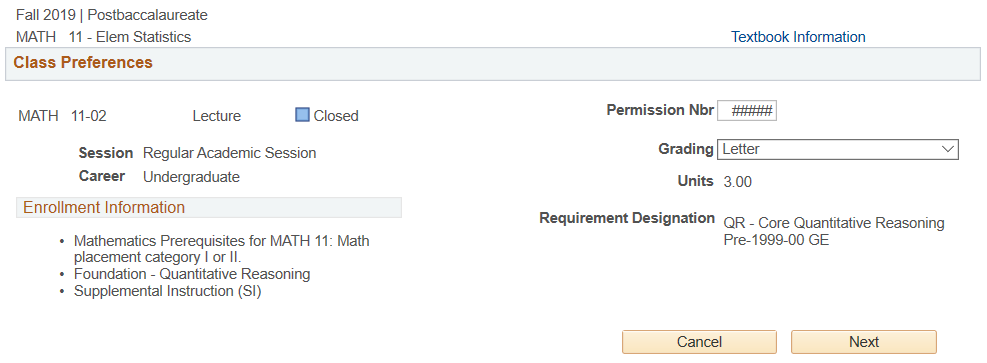 Enter the permission number into the “Permission Nbr” box. Select “next” to add the course to your wish list. You are now able to enroll
for the course as normal.
(Select the course in the wishlist → “Enroll” → “Finish Enrolling”)
Name: ______________________________
Course #: ________________
Permission #: _______________
This HTML version was generated with AI assistance and may contain errors or omissions. The original approved PDF remains the official document of record. An alternative accessible format is available upon request from the document creator in accordance with Title II of the ADA.