NursingCAS Instructions: RN to BSN Application
- Go to https://nursingcas.liaisoncas.com/applicant-ux/#/login
- Create an Account
- Login and then click on “Start Your Application”
- Select the term and year of the desired admission cycle
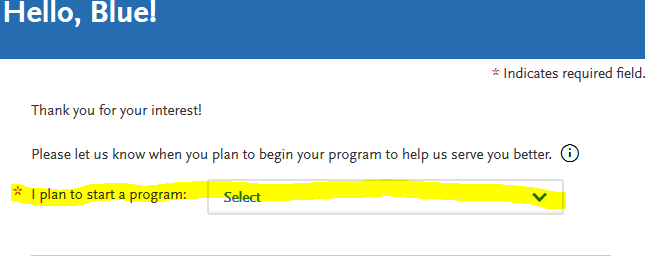
- Select “California State University, Fresno” and continue
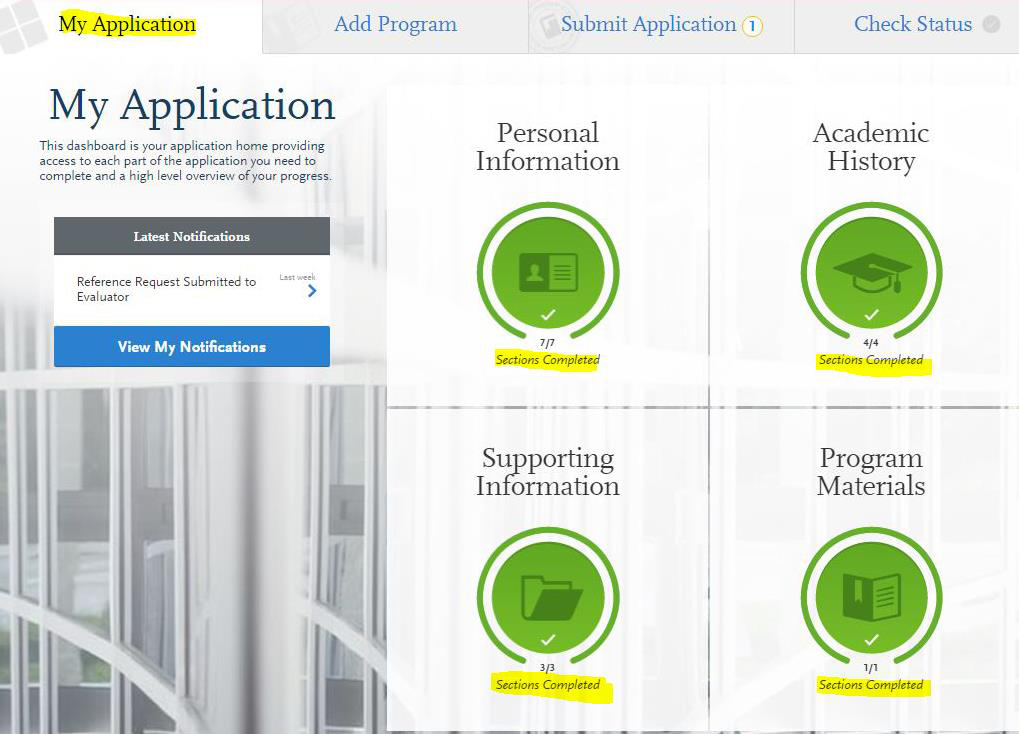
- Complete all 4 quadrants under the “My Application” tab.
7) Personal Information Quadrant
- Complete all sections
- Once complete, move on to the Academic History Quadrant
8) Academic History Quadrant
High School Attended
- Must complete the “High School Attended” section
- Indicate the high school where a diploma was earned by clicking on

- High school transcripts are not required
- Complete the section by clicking “I have Reviewed This Information”
- Indicate the high school where a diploma was earned by clicking on
College Attended
- Must complete the “College Attended” section
- Enter all colleges attended by clicking on

- Upload unofficial transcript for each college attended by clicking on

- Enter all colleges attended by clicking on
**PLEASE DO NOT COMPLETE THE TRANSCRIPT REQUEST FORM TO HAVE TRANSCRIPT(S) SENT TO NURSINGCAS. UPLOAD UNOFFICIAL TRANSCRIPT(S) WHEN INSTRUCTED**
Transcripts Entry (ONLY ENTER PREREQUISITE COURSES)
- Enter all completed prerequisites courses, even if you earned less than minimum ‘C’ grade, withdrew or repeated the course
- Enter all completed courses accurately within the appropriate institution where courses were completed
- To add more than one course per institution click on

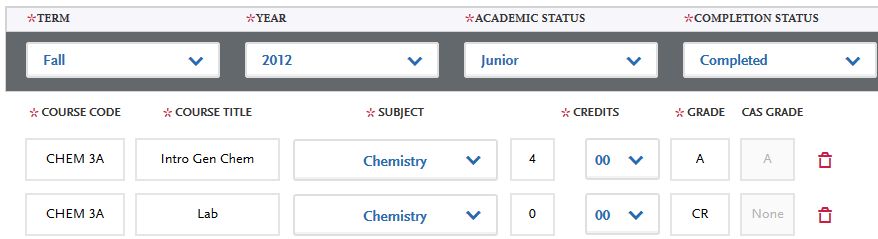
- If the institution does not list Lab course(s) separately on the transcript, you need
to enter the Lab separately. See sample below for more information:
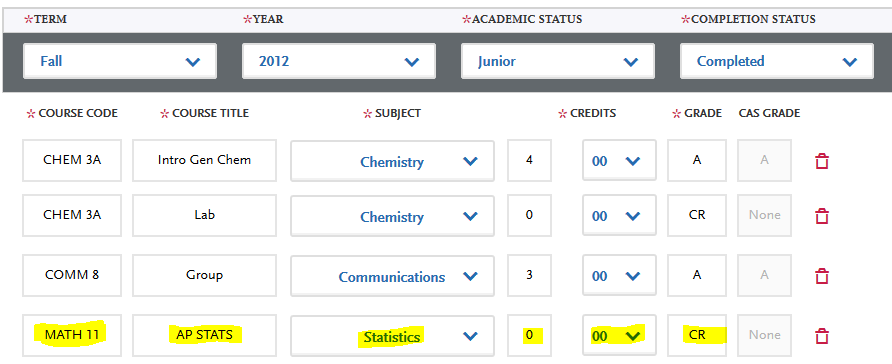
- Enter AP credits, if applicable, correctly as seen on the sample below:
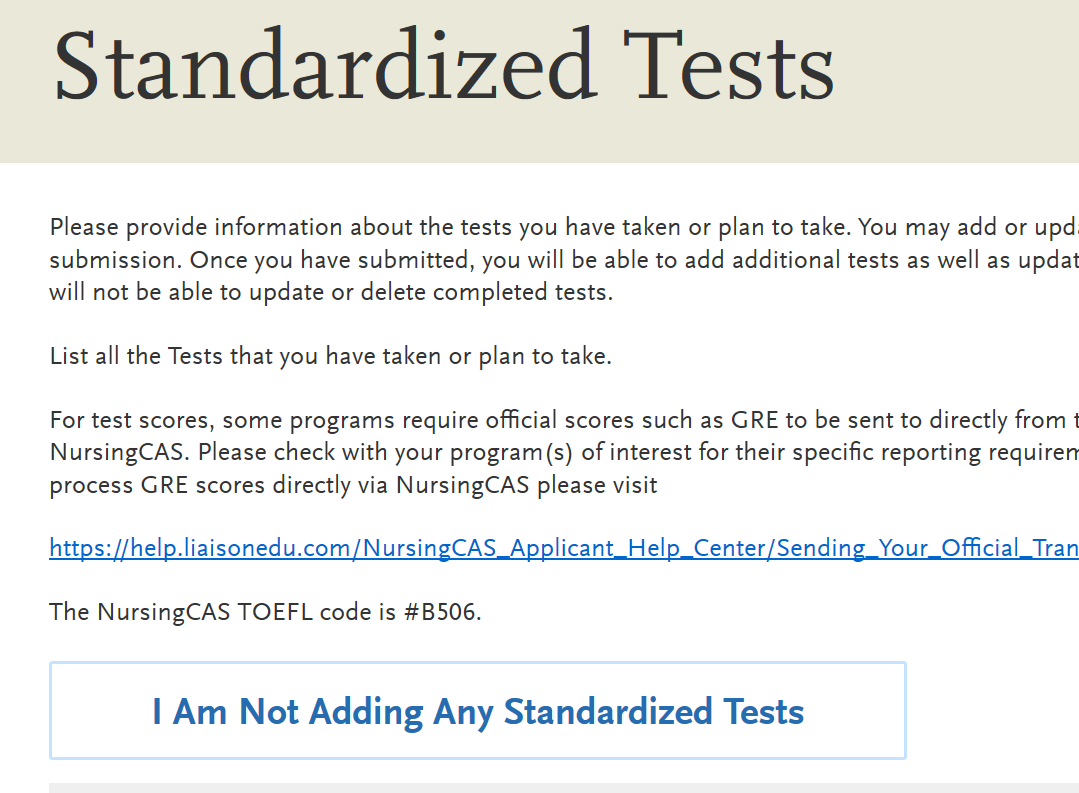
Standardized Tests
- Standardized tests are not required for the RN to BSN application. Click on “I Am
Not Adding Any Standardized Tests”
- Once section is complete, move on to the Supporting Information Quadrant
9) Supporting Information Quadrant
The School of Nursing does not require documents of Achievement, Experience, or Licensure & Certifications. Please complete sections as follows:
Achievements
- Click “I am not Adding Any Achievements”
Experiences
- Click on “I am not Adding Any Experiences”
Licensure and Certifications
- Click on “I am not Adding Any Licensure or Certifications”
- Once section is complete, move on to the Program Materials Quadrant
10) Program Materials Quadrant
- Click on “RN-BSN (Term/Year)”
- READ “HOME” TAB THOROUGHLY AND COMPLETE ALL OTHER TABS IN THIS SECTION:

Documents Tab
- If you are a Veteran, upload the Veteran DD214 form by clicking on “Add Document”

- Upload verification of your Associates Degree in Nursing (ADN) and/or a copy of unofficial
transcripts showing the conferral of an AND or with last nursing courses in progress

- If you completed a Hybrid Science Course(s), upload an official document indicating an in-person lab was completed by clicking on “Add Document” on the “Other” section.

Prerequisites Tab
- Each prerequisite section will be populated with the respective coursework entered
in the Transcript Entry under the Academic History section.
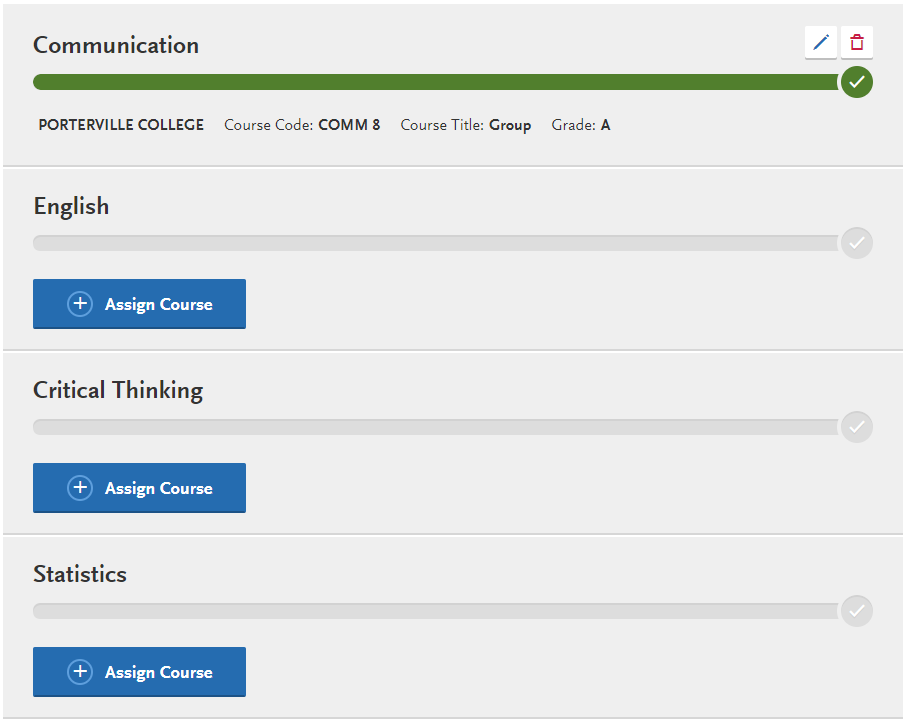
- Click on
 to populate EACH prerequisite course:
Questions Tab
- Answer all questions
11) Submit Application
- In order to submit the application, the green check mark must appear signifying completion
of all quadrants
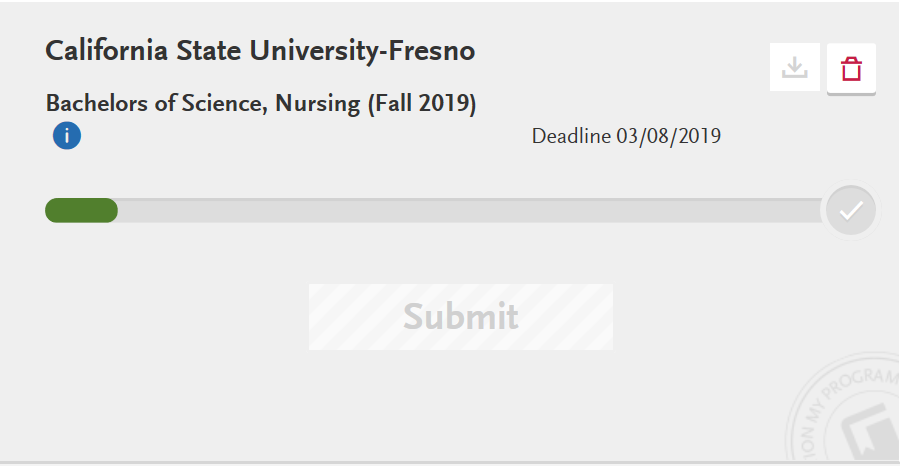
- Select “Submit Application” tab and pay required fees. Your application is now complete.
This HTML version was generated with AI assistance and may contain errors or omissions. The original approved PDF remains the official document of record. An alternative accessible format is available upon request from the document creator in accordance with Title II of the ADA.